
Animation on a Budget: How Soraha Delivers High-Quality Visuals on Low-Cost Devices
I'll never forget the technical review meeting where our lead animator presented beautiful, fluid character animations that looked stunning on her high-end workstation. Everyone in the room was impressed—until Joseph asked the question that changed everything: "How does this run on a 5,000 shilling phone?" We loaded the animation onto a budget device, and the result was devastating. Frame rates dropped to slideshow levels. The device overheated. Battery drained within minutes. The beautiful animation that worked perfectly on premium hardware was completely unusable on the devices that 80% of our target users actually own. That moment forced us to confront a fundamental challenge: how do you deliver high-quality animation on hardware with a fraction of the processing power and memory that animation typically requires?
I'm Billy Gareth, Co-Founder and CEO of Soraha, and solving the budget device animation challenge required Joseph and our engineering team to completely rethink how we produce, compress, and render animated content. The easy path would have been accepting that beautiful animation requires premium devices and telling budget device users they needed to upgrade. We refused that path. If Soraha only worked for students who could afford expensive smartphones, we'd be building yet another educational technology platform that reinforces rather than reduces educational inequality. Making high-quality animation accessible on budget devices became a non-negotiable engineering requirement.
Understanding the Hardware Constraints
Budget Android devices costing 5,000-7,000 KES typically feature 2GB RAM, quad-core processors running at modest clock speeds, basic GPUs with limited graphics acceleration, and small batteries providing limited power capacity. These specifications are orders of magnitude less capable than the flagship devices that animators and developers typically use for content creation and testing.
The performance gap creates real problems for animation. Rendering smooth animation requires processing many frames per second—ideally 30-60 frames for fluid motion. Each frame requires the processor to decode compressed animation data, render it to screen, and manage memory efficiently. On powerful devices, this happens effortlessly. On budget devices with weak processors and limited RAM, it becomes serious computational challenge that can cause lag, stuttering, overheating, and rapid battery drain.
Storage constraints add another dimension of difficulty. Budget devices often have 16-32GB total storage, much of which is consumed by the operating system and essential apps. Educational content competing for limited storage space must be aggressively compressed or students simply won't have room to install it. But compression and animation quality exist in tension—more compression reduces file size but can degrade visual quality or increase processing requirements for decompression.
Battery life presents the final constraint. Budget devices have smaller batteries than flagship phones, and they're often older devices whose batteries have degraded from years of use. If Soraha drains batteries quickly, it becomes practically unusable for students who may not have convenient charging access or who need to use their devices for multiple purposes throughout the day.
Vector Animation: Scalable Quality
One of our most important technical decisions was using vector animation wherever possible instead of raster animation. Raster animation stores each frame as a bitmap image—literally saving every pixel for every frame. This creates large files and requires substantial processing to decode and display. Vector animation stores animations as mathematical descriptions of shapes, colors, and movements. The device renders these descriptions in real-time, creating images at display time rather than storing pre-rendered frames.
Vector animation provides multiple advantages for budget devices. File sizes are dramatically smaller—a vector animation might be 10-20% the size of equivalent raster animation. Vector graphics scale perfectly to any screen resolution without quality loss—the same file looks crisp on both small budget phone screens and larger tablet displays. Processing requirements can be optimized for specific device capabilities through adaptive rendering techniques.
The transition to vector animation required retraining our animation team and rebuilding our entire animation pipeline. Traditional animation workflows often produce raster output. We had to develop workflows producing vector output while maintaining the visual quality and fluid motion that makes animation engaging. This transition took months and required substantial investment in new tools and training, but the performance benefits for budget devices made it essential.
We use raster animation only when vector approaches won't work—complex visual effects, photorealistic elements, or certain types of character animation that require raster's flexibility. Even then, we optimize raster content aggressively through compression, resolution optimization, and strategic use of techniques like texture atlasing that reduce memory requirements.
Adaptive Rendering: Performance Scaling
Different devices have different capabilities. Rather than creating one animation version that must work on all devices—inevitably either too demanding for budget devices or underwhelming on capable devices—we implemented adaptive rendering that adjusts animation quality and performance dynamically based on device capabilities.
When Soraha launches, it detects device specifications—processor speed, available RAM, GPU capabilities, battery level. Based on these metrics, it selects appropriate rendering settings. Flagship devices get maximum frame rates, highest quality rendering, and full visual effects. Mid-range devices get slightly reduced frame rates and selective quality adjustments maintaining good experience while respecting hardware limits. Budget devices get optimized frame rates and quality settings ensuring smooth playback without overtaxing hardware.
The adaptive system isn't just initial calibration—it monitors performance continuously during gameplay. If frame rates drop below acceptable thresholds, the system automatically reduces quality settings to maintain smooth animation. If the device overheats, rendering intensity decreases until temperatures normalize. If battery drops to critical levels, power-intensive rendering features disable automatically.
This adaptive approach means that budget device users get genuinely good animation experiences, not degraded versions that make them feel like second-class users. The animation looks appropriate for their hardware rather than struggling to display content designed for more powerful devices. Students using budget devices don't get the absolute highest quality possible, but they get high-quality animation that runs smoothly and doesn't destroy their batteries—which matters far more than theoretical maximum quality that doesn't actually work on their hardware.
Compression Strategies: Quality and Size
Joseph and the engineering team developed sophisticated compression strategies maintaining visual quality while dramatically reducing file sizes. The compression pipeline analyzes animations to identify opportunities for optimization—repeated elements that can be stored once and reused, subtle visual details that can be simplified without noticeable quality loss, and motion patterns that can be described mathematically rather than stored frame-by-frame.
We use different compression techniques for different animation types. Character animations with repeating motion patterns compress through motion interpolation—storing key frames and having devices calculate intermediate frames mathematically. Background animations with less motion compress through temporal compression—encoding changes between frames rather than complete frames. UI animations with simple geometric shapes compress through vector optimization—simplifying mathematical descriptions while maintaining visual appearance.
The compression isn't lossless—we accept some quality degradation in exchange for massive file size reductions. But we're strategic about where quality loss occurs. We preserve quality in educationally critical elements—if animation demonstrates a mathematical concept, that demonstration remains crystal clear. We accept more compression in decorative elements where slight quality reduction doesn't impair educational value.
Testing revealed that our compression achieves 60-80% file size reduction compared to naive compression while maintaining visual quality indistinguishable from originals on actual mobile device screens. This compression is crucial for fitting comprehensive grade-level content into storage capacity of budget devices.
Frame Rate Optimization: Smooth Enough
Commercial animation typically targets 60 frames per second for maximum smoothness. Educational animation doesn't require quite that level of fluidity—30 frames per second provides perfectly smooth animation for educational purposes. Budget devices struggling to maintain 60fps can comfortably handle 30fps, allowing us to cut processing requirements nearly in half while maintaining smooth visual experience.
We go further with frame rate optimization through intelligent frame timing. Not all animation moments require identical frame rates. During rapid action sequences, higher frame rates maintain smoothness. During slower instructional demonstrations, slightly reduced frame rates are imperceptible. The rendering system adjusts frame rates dynamically based on animation content and device capabilities, allocating processing resources where they matter most for visual quality.
The frame rate optimization also considers battery impact. Higher frame rates drain batteries faster through increased processor activity. On devices with low battery levels, the system automatically reduces frame rates to extend usage time—students can continue learning rather than being cut off by dead batteries.
Memory Management: Working Within Constraints
Budget devices have limited RAM, and animation can be memory-intensive if not managed carefully. We implemented aggressive memory management techniques ensuring Soraha operates efficiently within 2GB RAM constraints common in budget devices.
The memory management strategy loads animation assets on-demand rather than pre-loading everything. When students approach content requiring specific animations, those assets load into memory just-in-time. When students move to different content, unused animation assets unload from memory, freeing space for new content. This dynamic loading means memory consumption stays within device limits regardless of total content volume.
We also use asset streaming for longer animations—loading and displaying animation progressively rather than requiring entire animation in memory before playback begins. This streaming approach allows playing animations larger than available memory would otherwise permit, expanding what's possible on constrained devices.
Memory pooling techniques reuse memory allocations rather than constantly allocating and freeing memory, which causes fragmentation and performance degradation on mobile devices. Object pooling reuses animation objects rather than creating and destroying them repeatedly. These optimizations reduce memory churn and improve performance stability during extended gameplay sessions.
Battery Optimization: All-Day Learning
Battery life determines how long students can actually use Soraha in practice. Beautiful animation that drains batteries within an hour isn't useful for students who need all-day access without convenient charging. We optimized every aspect of animation rendering for power efficiency.
The rendering pipeline minimizes unnecessary processing. We cull off-screen animations—if animation isn't currently visible, we don't waste power rendering it. We use dirty rectangle rendering—updating only screen regions that change rather than redrawing entire screen every frame. We implement frame skipping intelligently when battery drops to critical levels, maintaining playability while extending usage time.
We also optimize for display power consumption. Mobile device screens consume significant power, and brightness directly impacts battery drain. Soraha's visual design uses darker backgrounds and color schemes that reduce screen power consumption on OLED displays common in budget devices. This isn't drastic—the visual design still looks vibrant and engaging—but the power savings accumulate over hours of usage.
Testing shows that Soraha provides 4-5 hours of continuous animated gameplay on budget device batteries, comparable to reading apps and far better than most animation-heavy games. This battery efficiency is crucial for students who may not have reliable electricity access or who need to conserve device batteries for multiple uses throughout the day.
Quality Assurance: Testing on Real Hardware
Ensuring animation quality on budget devices requires testing on actual budget devices, not just emulators or development hardware. We maintain a device lab with 15+ different budget phone models representing the market spectrum students actually use. Every animation must pass testing on these devices before approval—if it doesn't run smoothly on budget hardware, it doesn't ship regardless of how beautiful it looks on developer workstations.
The testing process checks frame rates under various conditions, monitors memory usage and leak detection, measures battery consumption during extended use, verifies rendering quality across different screen sizes and resolutions, and validates that adaptive systems respond appropriately to different device capabilities. This rigorous testing catches performance problems before they reach students, ensuring consistent quality across the device spectrum.
The Result: Quality Without Compromise
Walking into classrooms and seeing Soraha's animations running smoothly on battered 5,000 shilling phones that students have been using for years—devices most EdTech companies would dismiss as inadequate—validates every hour Joseph and the engineering team invested in budget device optimization. Students using these devices get genuinely high-quality animated content that engages them and supports learning effectively.
The optimization work also benefits all users. Students with flagship devices get excellent performance and longer battery life because efficient code runs well on any hardware. Teachers appreciate that Soraha works reliably across diverse device fleets in their classrooms without requiring device upgrades. Parents using older handed-down devices to monitor children's progress through dashboards find Soraha responsive and usable.
Why This Matters for Educational Equity
Making high-quality animation work on budget devices isn't just technical achievement—it's educational equity imperative. If beautiful animation only worked on expensive devices, we'd be creating a two-tier system where wealthy students get engaging visual learning while poor students get text-based instruction. This would reinforce educational inequality through technology rather than reducing it.
By refusing to accept that compromise, by investing in the engineering work required to make quality animation accessible on budget hardware, we ensure that students' learning experiences don't depend on their families' device budgets. A student using a 5,000 shilling phone gets the same engaging animated instruction as a student using a 40,000 shilling flagship device. That parity is fundamental to Soraha's mission of making quality education accessible regardless of economic circumstances.
Building Soraha taught Joseph and me that educational technology claiming to serve underserved populations must actually work on the hardware those populations can afford. Anything less is educational exclusion dressed up as innovation. Making animation work beautifully on budget devices required massive engineering effort—but it's effort that honors our commitment to genuine accessibility rather than convenient compromises that serve privileged users while excluding the majority.
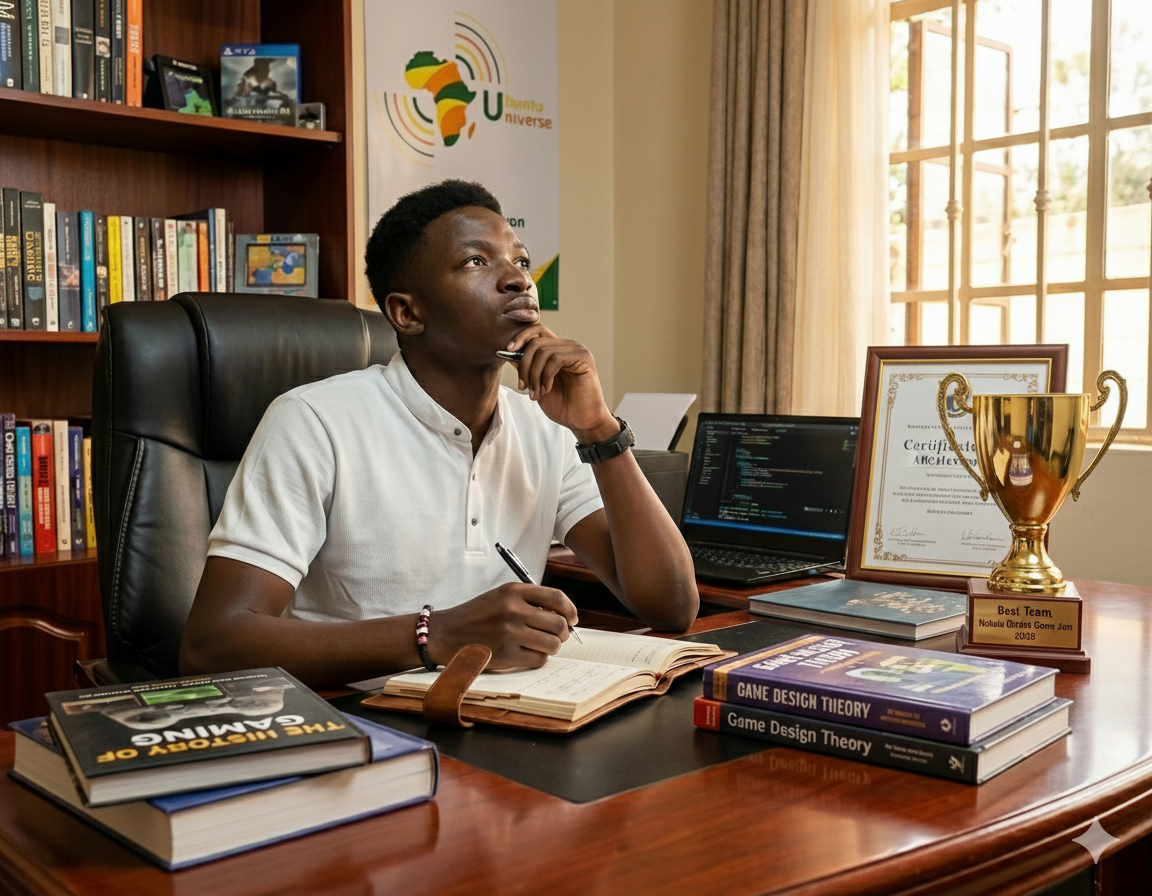
author : Billy Gareth
Expert in Animation with years of experience in the industry.
Comments :
John Doe - June 8, 2026
ReplayGreat article! Very informative and well-written.